Sometimes we encounter scenarios where scripts have a longer runtime.
If we are using tokens with expiration time, this can cause issues if the script runs longer than the token’s validity period.
I have written a small script that automatically renews the token during script execution.
This way, you don’t have to worry about managing it through error handling or checking the token’s validity before every API call.Although it’s not considered best practice to have scripts running for extended periods, it does happen occasionally.
Here you have the Github Link : Request_Renew_AccessToken_in_Runtime
Please be advised that this Script is under Development and can have issues and isn't perfect at all. Have fun 🙂
#Enable debugging and verbose output
$DebugPreference = "Continue"
$VerbosePreference = "Continue"

#Define global variables for the access token and expiration time
$global:accessToken = $null
$global:tokenExpiresAt = [datetime]::MinValue
$tokencheckinterval = 5000  # 5 seconds (5000 milliseconds) -> Can be bigger in production. For testing set to 5 seconds
$minutesbeforetokenexpires = 59 # Set how many minutes before token expiration the token should be renewed -> Now it is set to 59 for testing and debugging purpose.

$TenantName = ""
$CLIENTID = ""
$CLIENTSECRET = ""

#Define the function to request a new access token
function Request-AccessToken {
    [CmdletBinding()]
    param (
        [Parameter(Mandatory = $true)] [string]$TenantName,
        [Parameter(Mandatory = $true)] [string]$ClientId,
        [Parameter(Mandatory = $true)] [string]$ClientSecret
    )

    $tokenBody = @{
        Grant_Type    = 'client_credentials'
        Scope         = 'https://graph.microsoft.com/.default'
        Client_Id     = $ClientId
        Client_Secret = $ClientSecret
    }

    Write-Debug "Requesting a new access token from Microsoft Identity Platform..."

    try {
        $tokenResponse = Invoke-RestMethod -Uri "https://login.microsoftonline.com/$TenantName/oauth2/v2.0/token" -Method POST -Body $tokenBody -ErrorAction Stop
    } catch {
        Write-Output "Error generating access token: $($_.Exception.Message)"
        Write-Output "Exception Details: $($_.Exception)"
        return $null
    }

    Write-Output "Successfully generated authentication token"
    return $tokenResponse
}

# Function to renew the access token when close to expiration
function Renew-AccessToken {
    param (
        [string]$TenantName,
        [string]$ClientId,
        [string]$ClientSecret
    )

    Write-Debug "Attempting to renew the access token..."
    try {
        $tokenResponse = Request-AccessToken -TenantName $TenantName -ClientId $ClientId -ClientSecret $ClientSecret

        if ($null -ne $tokenResponse) {
            # Update the global access token and expiration time
            $global:accessToken = $tokenResponse.access_token
            $global:tokenExpiresAt = (Get-Date).AddSeconds($tokenResponse.expires_in)
            Write-Output "Token renewed successfully. New expiration time: $global:tokenExpiresAt"
        } else {
            Write-Output "Failed to renew the access token. Response was null."
        }
    } catch {
        Write-Output "Error renewing the access token: $($_.Exception.Message)"
    }
}

# Initialize the access token and expiration time

# Request the initial token
$tokenResponse = Request-AccessToken -TenantName $TenantName -ClientId $ClientId -ClientSecret $ClientSecret


if ($tokenResponse -ne $null) {
    $global:accessToken = $tokenResponse.access_token
    $global:tokenExpiresAt = (Get-Date).AddSeconds($tokenResponse.expires_in)
    Write-Output "Initial token acquired successfully. Expires at: $global:tokenExpiresAt"
} else {
    Write-Output "Failed to acquire the initial access token. Exiting script."
    return
}


function Check-TokenExpiration {
    try {
        Write-Output "Checking token expiration at: $(Get-Date)..."

        # Check if the token is about to expire (1 minute before expiration)
        if ((Get-Date) -ge $global:tokenExpiresAt.AddMinutes(-$minutesbeforetokenexpires)) {
            Write-Output "Access token is expired or close to expiration. Renewing the token..."
            Renew-AccessToken -TenantName $TenantName -ClientId $ClientId -ClientSecret $ClientSecret
        } else {
            Write-Output "Access token is still valid. Expires at: $global:tokenExpiresAt"
        }
    } catch {
        Write-Output "Error in Check-TokenExpiration function: $($_.Exception.Message)"
    }
}


#This is the Interval the  Token Check Takes place !
$timer = New-Object System.Timers.Timer
$timer.Interval = $tokencheckinterval
$timer.AutoReset = $true
$timer.Enabled = $true  # Enable the timer

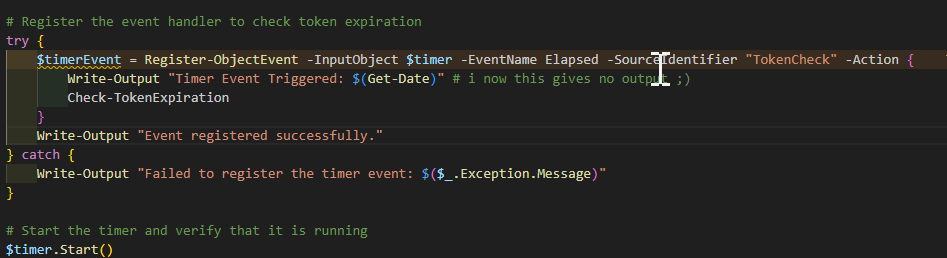
# Register the event handler to check token expiration
try {
    $timerEvent = Register-ObjectEvent -InputObject $timer -EventName Elapsed -SourceIdentifier "TokenCheck" -Action {
        Write-Output "Timer Event Triggered: $(Get-Date)" # i now this gives no output 😉
        Check-TokenExpiration
    }
    Write-Output "Event registered successfully."
} catch {
    Write-Output "Failed to register the timer event: $($_.Exception.Message)"
}

# Start the timer and verify that it is running
$timer.Start()
if ($timer.Enabled) {
    Write-Output "Timer started successfully. Access token will be checked for renewal every 30 seconds."
} else {
    Write-Output "Failed to start the timer."
}


# Main script logic to simulate other tasks
for ($i = 1; $i -le 60; $i++) {
    Write-Output "[$(Get-Date)] - Main Script: Working... (Iteration $i)"
    Start-Sleep -Seconds 2
    Write-Output "The Global Access Token Expires At: $global:tokenExpiresAt"
}


# Stop the timer and unregister the event when done
Write-Output "Stopping the timer and unregistering the event..."
$timer.Stop()
Unregister-Event -SourceIdentifier "TokenCheck"
$timer.Dispose()
Write-Output "Timer stopped. Final Access Token Expiration: $global:tokenExpiresAt"

