In this article, we will provide an informative overview of Azure AD Password Protection and its associated benefits. Additionally, we will guide you through the process of utilizing event logs to monitor user password changes, highlighting the importance of employing Azure AD Password Log Monitoring in Audit Mode.
Azure AD Password Protection is a powerful security feature offered by Microsoft Azure Active Directory. It helps organizations enhance their overall security posture by preventing weak passwords from being used and blocking compromised passwords. By implementing Azure AD Password Protection, organizations can significantly reduce the risk of unauthorized access and potential security breaches.
One crucial aspect of maintaining a secure environment is monitoring user password changes. This allows organizations to detect and investigate any suspicious or unauthorized activities related to user account credentials. By leveraging event logs, which provide a detailed record of password-related events, organizations gain valuable insights into password change activities, helping them identify potential security threats and enforce compliance with password policies.
Azure AD Password Log Monitoring in Audit Mode is a recommended practice to ensure comprehensive monitoring of password-related events. In Audit Mode, Azure AD logs all password changes and related activities without blocking or preventing any actions. This enables organizations to maintain a detailed audit trail of password-related events while allowing normal password change operations to proceed unhindered. By adopting this monitoring approach, organizations can effectively balance security requirements with user convenience and productivity.
By leveraging the event logs generated by Azure AD Password Protection, organizations can achieve the following benefits:
- Enhanced Security: Azure AD Password Protection helps enforce strong password policies, preventing the use of weak or compromised passwords. By monitoring password-related event logs, organizations can quickly identify any attempts to circumvent these policies and take appropriate actions to mitigate risks.
- Proactive Threat Detection: Continuous monitoring of password-related activities enables organizations to detect and respond to potential security threats promptly. Unusual patterns or suspicious activities identified in the event logs can serve as early indicators of unauthorized access attempts or compromised accounts.
- Compliance and Auditing: By maintaining a comprehensive record of password-related events, organizations can demonstrate compliance with regulatory requirements and internal security policies. The event logs serve as valuable evidence during audits and investigations.
- Incident Response and Forensics: In the event of a security incident or breach, the event logs can provide crucial information for incident response and forensic investigations. Analyzing the logs helps organizations understand the scope and impact of the incident and aids in the recovery process.
To leverage Azure AD Password Log Monitoring effectively, organizations should ensure they have the necessary tools and processes in place. This includes configuring event log collection and analysis systems, establishing regular review processes, and defining incident response procedures for potential security events.
In conclusion, Azure AD Password Protection, combined with proactive monitoring of password-related event logs, offers significant benefits for organizations seeking to enhance their security posture. By implementing these measures, organizations can strengthen password security, detect and respond to threats effectively, and meet compliance requirements.

Enforcing a custom banned password list and transitioning from Audit to Enforced mode are key steps in Azure AD Password Protection. It is recommended to start with Audit mode initially to assess the user impact before enforcing the policy. This approach allows organizations to familiarize themselves with the effects of the policy before implementing it fully. Later, we will explore why this approach is beneficial.
To begin, it is necessary to install a Password Protection Proxy and DC Agents for seamless operation in the on-premises environment. Detailed installation instructions can be found at the following link:
Installation Instructions for Password Ban Bad On-Premises Deploy
After completing the installation and ensuring everything is set up properly, you can enable Password Protection in Azure with Audit Mode. It is essential to allow some time for password changes to occur and generate logs. It is recommended to have a policy in place where users are required to change their passwords after a specific time period.
The provided PowerShell code enables you to list all logs or filter based on specific events. These logs provide valuable insights into who changed their passwords and how the policy would have affected them.
Get-WinEvent -LogName 'Microsoft-AzureADPasswordProtection-DCAgent/Admin' | Where-Object { $_.ID -eq 10014}
Please note that effective communication and user awareness are crucial during the implementation of password protection measures. Keeping users informed about the purpose and impact of these policies helps ensure a smooth transition and fosters a strong security culture within the organization.
You can find detailed information about the events and their meanings in the Azure AD Password Protection monitoring documentation.
Additionally, to simplify the process of extracting statistics from the Password Protection log, you can use the following PowerShell script. This script exports three CSV files containing valuable information for analysis and reporting:
$DC = @('DC1','DC2')
$Workpath = "C:\Temp\AZ_PWDPROTECTION_LOGS"
$credential = Get-Credential
$Report = Invoke-Command -ComputerName $DC -Credential $credential -ScriptBlock { Get-AzureADPasswordProtectionSummaryReport }

# Remove previous log files if they exist
if (Test-Path $Workpath) {
    Remove-Item $Workpath -Recurse -Force
}
# Create the log directory
New-Item -ItemType Directory -Path $Workpath | Out-Null

# Export password protection summary report
$Report | Export-Csv -Path "$Workpath\Summary_report_PWD_Protection.csv" -NoTypeInformation

# Export user last password set information
$users = Get-ADUser -Filter {Enabled -eq $true} -Properties PasswordLastSet, SamAccountName, c
$users | Select-Object SamAccountName, PasswordLastSet, c | Export-Csv "$Workpath\Userlastpwdset.csv" -NoTypeInformation -Encoding UTF8

# Collect events from DC servers
$events = Invoke-Command -ComputerName $DC -Credential $credential -ScriptBlock {
    Get-WinEvent -LogName 'Microsoft-AzureADPasswordProtection-DCAgent/Admin' |
    Where-Object {
        $_.ID -in 10014, 10015, 10016, 10017, 10024, 10025, 30002, 30003, 30004, 30005, 30026, 30027, 30021, 30022, 30008, 30007, 30010, 30009, 30028, 30029, 30024, 30023
    }
}

# Process and export event log details
$events | ForEach-Object {
    $message = $_.Message -split "`n" | Where-Object { $_.Trim() -ne "" } | ForEach-Object { $_.Trim() }
    [pscustomobject]@{
        'TimeCreated'         = $_.TimeCreated
        'Id'                  = $_.ID
        'LevelDisplayName'    = $_.LevelDisplayName
        'Username'            = $message[1].Substring(11)
        'FullName'            = $message[2].Substring(11)
        'PSComputerName'      = $_.PSComputerName
        'EventMessage_Detail' = $message[0]
    }
} | Export-Csv -Path "$Workpath\eventlog_pwd-protection_FULL.csv" -NoTypeInformation -Append

# Clean up temporary files
if (Test-Path "$Workpath\message.txt") {
    Remove-Item -Path "$Workpath\message.txt" -Force
}
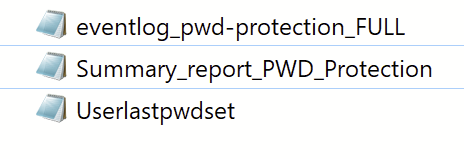
The most comprehensive file among the exported CSVs is the “eventlog_pwd-protection_FULL.csv.” This file contains all events consolidated into a single document, with each entry separated for easy analysis and review. Apologies for any blank spaces within the file; these are artifacts caused by me 😉
By examining the “eventlog_pwd-protection_FULL.csv” file, you can gain a holistic view of all the captured events related to password protection. Each entry provides information such as the event’s time of occurrence, ID, level of severity, associated username, full name, source computer name, and detailed event message. This consolidated log enables efficient event tracking, investigation, and correlation for comprehensive password protection monitoring.
Please note that it is essential to review the events in the “eventlog_pwd-protection_FULL.csv” file to identify any anomalies, security threats, or policy compliance issues. Analyzing this log file allows you to stay vigilant, take proactive measures, and address any potential security concerns promptly.
Remember to ensure appropriate access permissions and security measures when handling and storing these log files to maintain the confidentiality and integrity of sensitive information.

The “eventlog_pwd-protection_FULL.csv” file serves as a valuable resource for creating a dashboard that highlights the most important events related to password protection. By extracting key information from this file, you can visualize and monitor critical events in a clear and concise manner. This dashboard provides a holistic view of the password protection system, enabling you to promptly identify and address any potential security issues.
Furthermore, the log file is instrumental in assessing the impact on users when transitioning from Audit Mode to Enforced Mode. By analyzing the events captured in the file, you can gain insights into how the policy would have affected user actions if it were enforced. This information is invaluable in understanding the potential implications and user experience associated with a change in policy enforcement.
Utilizing the data from the “eventlog_pwd-protection_FULL.csv” file allows you to make informed decisions regarding policy enforcement and strike a balance between security requirements and user impact. This approach ensures that your organization maintains a robust security posture while minimizing disruption to users during the transition.
When creating the dashboard or working with the log file, remember to follow best practices for data handling, security, and privacy. This includes implementing appropriate access controls, encryption, and anonymization techniques to safeguard sensitive information and ensure compliance with data protection regulations.
I hope I was able to provide you with a comprehensive understanding of the subject matter. Should you have any inquiries or constructive criticism, please don’t hesitate to contact me at any time. Your feedback is highly appreciated, and I’m here to assist you further.
 Powershell Works